

SMTP configuration
SMTP is the universal way to send email into MailSandbox — it works with any language or framework. Point your application’s mailer at an inbox’s SMTP credentials and every message it sends is captured instead of delivered.
Connection settings
Section titled “Connection settings”Open your inbox and click “Configuration” to find its exact values. The SMTP settings look like this:
| Host | smtp.mailsandbox.com |
| Port | 2525 |
| Username | ms_… (your inbox username) |
| Password | … (your inbox password) |
| Encryption | null |
Code samples
Section titled “Code samples”The Configuration screen generates copy-paste config for your stack, with the inbox credentials already substituted.
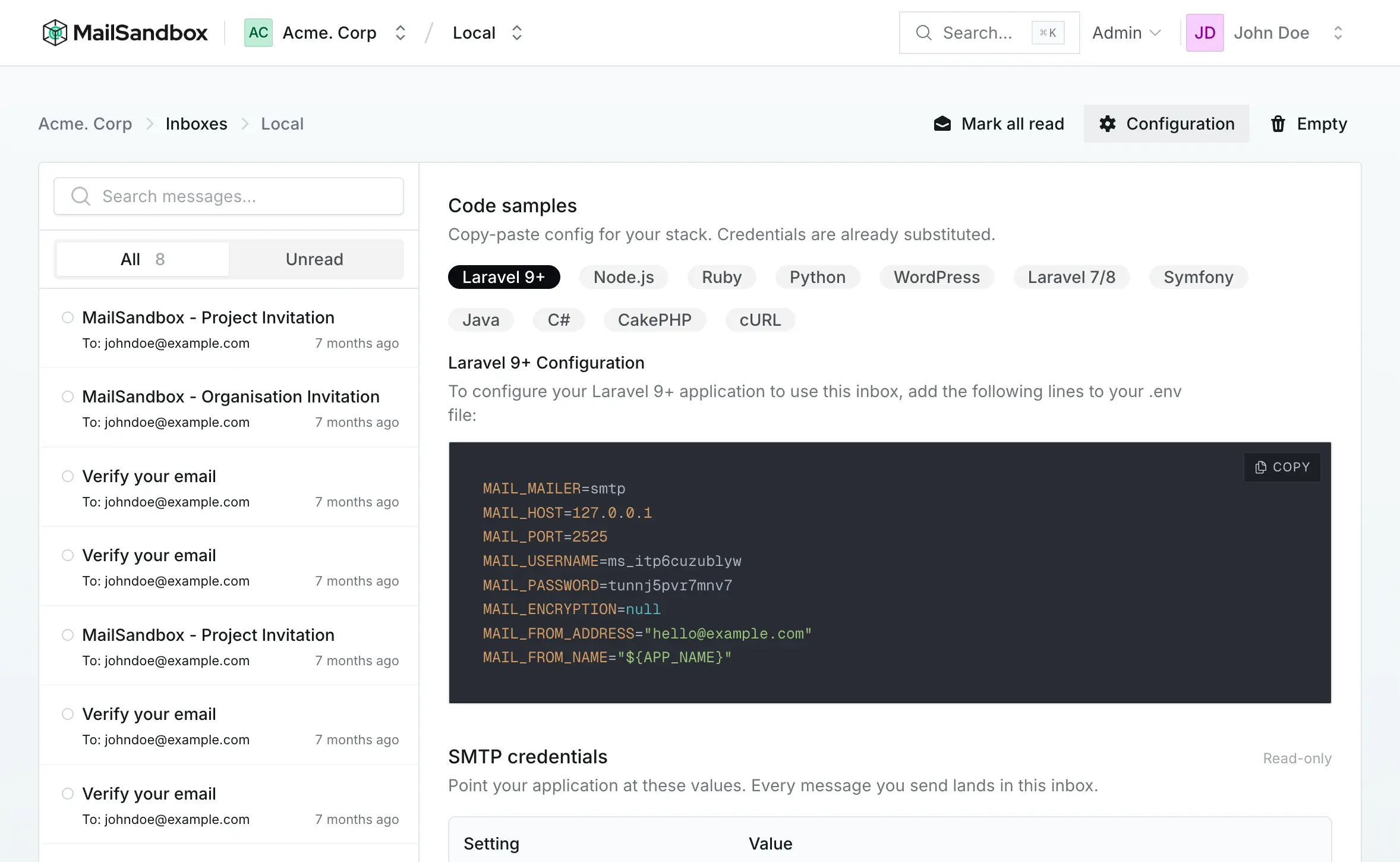
Laravel
Section titled “Laravel”Add these lines to your .env file, using the credentials from your inbox:
MAIL_MAILER=smtpMAIL_HOST=smtp.mailsandbox.comMAIL_PORT=2525MAIL_USERNAME=ms_your_inbox_usernameMAIL_PASSWORD=your_inbox_passwordMAIL_ENCRYPTION=nullMAIL_FROM_ADDRESS="hello@example.com"Other stacks
Section titled “Other stacks”Any SMTP-capable library works — Nodemailer, smtplib, PHPMailer, Symfony Mailer, JavaMail and more. Point them at the host and port above and authenticate with your inbox username and password. The inbox Configuration screen has a ready-made example for each.