

Source, headers & raw message
HTML source
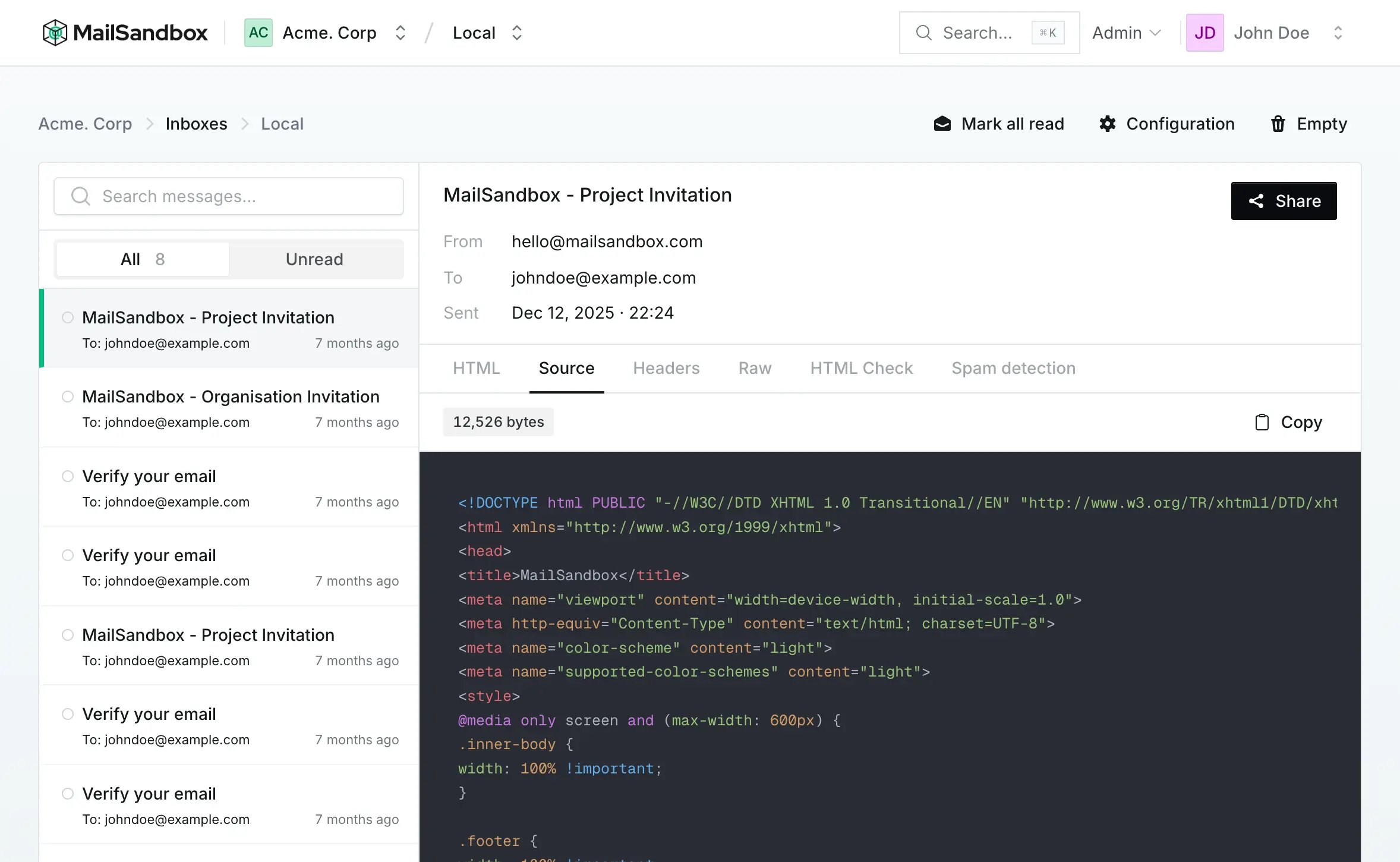
Section titled “HTML source”The Source tab shows the exact HTML your application produced, with syntax highlighting and the message size in bytes. Use it to confirm that your template rendered the markup you expected — merge tags resolved, inline styles present, tracking pixels where they belong.
Headers
Section titled “Headers”The Headers tab lists every header on the message — From, To, Subject, Date, Content-Type, and any custom headers your application added. Headers are where a lot of email debugging happens, from confirming the right sender to checking custom metadata your app attaches.
Raw message
Section titled “Raw message”The Raw tab shows the complete MIME message exactly as it was received — headers, boundaries, and every part, including the plain-text alternative and any attachments. This is the ground truth of what your application actually sent, useful for tracking down encoding issues or malformed multipart bodies.