

WordPress plugin
The MailSandbox WordPress plugin captures every email your site sends without any manual SMTP configuration. Install it, paste your inbox connection secret, and you are done.
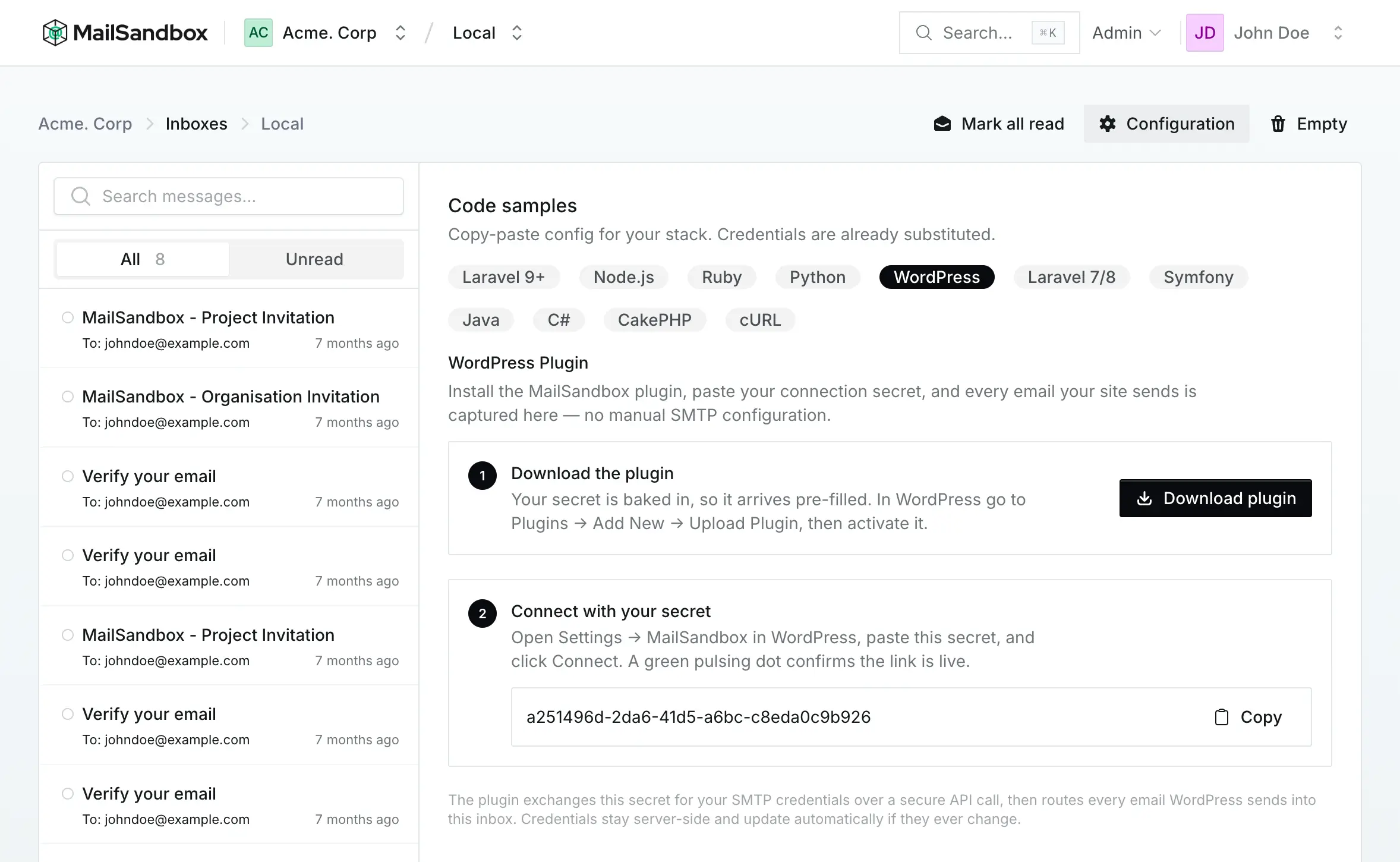
1. Install the plugin
Section titled “1. Install the plugin”Open your inbox, click “Configuration”, and choose WordPress. Download the plugin — your connection secret is baked in, so it arrives pre-filled.
- Download the plugin from the inbox Configuration screen
- In WordPress, go to Plugins → Add New → Upload Plugin
- Upload the file and activate it
2. Connect your secret
Section titled “2. Connect your secret”In WordPress, open Settings → MailSandbox, paste your connection secret, and click Connect. A green pulsing dot confirms the link is live.
How it works
Section titled “How it works”The plugin exchanges your connection secret for the inbox’s SMTP credentials over a secure API call, then routes every email WordPress sends into that inbox. Credentials stay server-side and update automatically if they ever change — so there is nothing to reconfigure later.